- Published on
Add Fancybox image lightbox effect to Next.js blog
- Reading time
- 2 分钟
- Page view
- -
- Author

- Name
- Yicong
- Github
I always feel that the blog images cannot be scaled, which greatly affects the user experience. Some smaller screenshots need to be enlarged to see clearly, so after~~ a fierce battle with laziness~~, Fancybox is selected as a solution, and a lightbox effect is added to the blog images.
Effect display
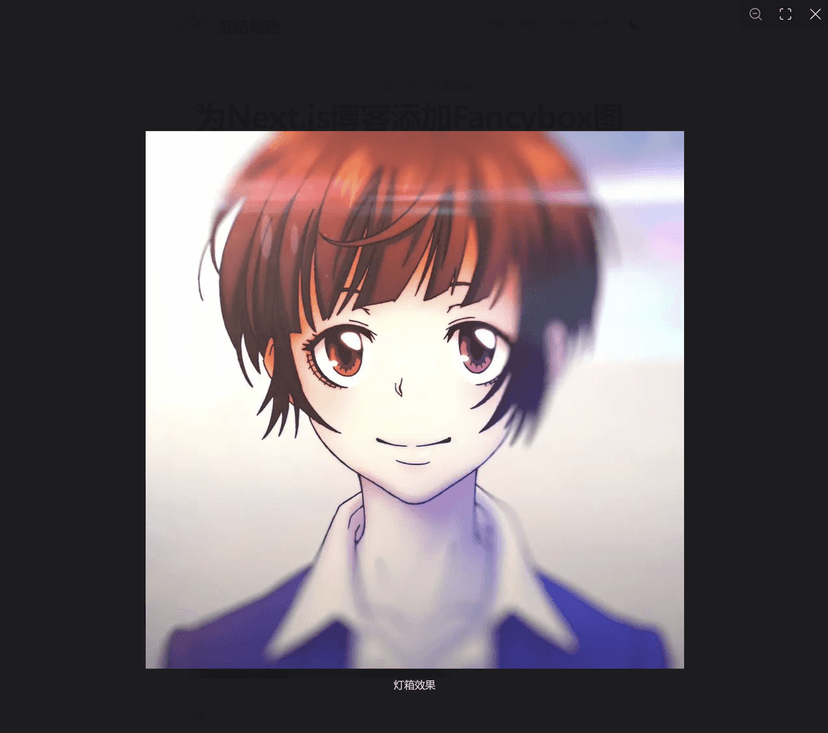
<Image src="/blog/next_1.jpg" alt="Lightbox effect" width={400} height={400} />
First take a look at the effect of this code in the MDX file, click on this picture👇

You can see that the lightbox provides functions such as zoom, full screen, caption, etc. (Speaking of this, isn't this a nesting doll, haha
Implementation part
Before the specific implementation, let's briefly introduce what MDX is. The official website description is as follows:
MDX allows you to use JSX in your markdown content. You can import components, such as interactive charts or alerts, and embed them within your content. This makes writing long-form content with components a blast.
In a nutshell, it is Markdown syntax that supports JSX syntax, which is a superset of Markdown. You can use custom, interactive components in MDX, which makes the content of the article richer and more vivid.
When I first looked for a solution, I wanted to use Lightbox.js, because the official website directly provided an integrated solution for Next.js, and the effect was also very good, but later I found that it was paid for use, and the price was a bit expensive, 35 dollars for individual users. Of course, the official said that it could provide free licenses to open source projects, and I also applied for it, but probably because it was not specified at the time for which project it was used, I never received a reply.
Later, I remembered that when I used Hexo before, many themes integrated light boxes: Fancybox. I simply flipped through the documents and found that it seemed to have more functions, and most importantly, it could be used for free. Although it should not be truly free, because the official website provides a paid channel, and the FQA mentioned this sentence:
You are welcome to try them out on your project in a development and staging environment to see if it meets your needs.
But I'm still using it first┌( ´_ゝ` )┐
Next, let's take a look at the specific implementation. Since the current usage scenario is a single image rather than a gallery, and I think the images in the article should all need light boxes, there are more hardcoded things when encapsulating, and of course a certain degree of extensibility is left to prevent future changes in ideas. As for the gallery, I'll talk about it when I have so many things to show🤣
'use client';

import NextImage, { ImageProps } from 'next/image';
import { useRef, useEffect } from 'react';
import { Fancybox } from '@fancyapps/ui';
import '@fancyapps/ui/dist/fancybox/fancybox.css';

const Image = ({ ...rest }: ImageProps) => {
  const containerRef = useRef(null);

  useEffect(() => {
    const container = containerRef.current;

    const delegate = '[data-fancybox]';
    const options = {};

    Fancybox.bind(container, delegate, options);

    return () => {
      Fancybox.unbind(container);
      Fancybox.close();
    };
  });

  return (
    <figure ref={containerRef} className="hover:cursor-pointer">
      <NextImage data-fancybox="single" data-caption={rest.alt} width={800} height={800} {...rest} />
    </figure>
  );
}

export default Image;
fancybox will initialize and bind a container, which contains the Image component provided by Next.js, so that it can take advantage of its lazy loading, size optimization and other features. It was not until a few weeks ago that I realized that my blog had not been using Next.js's image optimization 😓
The original format of the image was jpg, and the size was close to 1MB. Now, its format has become webp, and the size can be observed in the request to be only about 20kB, and it is even smaller after caching.

Overall, I am quite satisfied with the final style of the image lightbox. I may make more adjustments to the position of the image and the detailed configuration of the lightbox later.